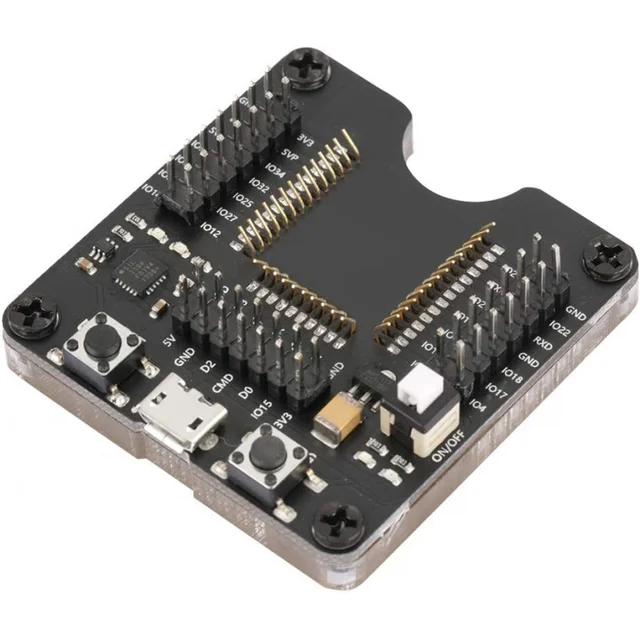
ESP8266 ESP-WROOM-32 ESP32-WROVER Development Board Test Burning Fixture Tool Downloader for ESP-12F
$20.49
$31.96
Description ESP32 Test Burn Fixture for ESP-WROOM-32 The ESP32 Test Burn Fixture is a high-precision programming and testing tool designed for developers working with ESP-WROOM-32 modules. It makes firmware flashing and debugging simple, reliable, and efficient — ideal for both beginners and advanced IoT developers. Features of the ESP32 Test Burn Fixture Compatible with ESP32-WROOM-32 minimum system modules Supports CH340 driver installation for easy USB-to-serial connection Works with the official Flash Download Tool (FlashDownloadTool) Automatic and manual firmware burning modes Compact, durable design for long-term use ⚙️ Instructions for Use 1. Install Serial Driver (CH340/CH341) Download and install the correct CH340 serial chip driver for your operating system:�� Download CH340 Driver (Windows, Mac, Linux) �� Guide: How to Install CH340 Drivers (SparkFun Tutorial) 2. Download Flash Tool Obtain the official Espressif Flash Download Tool for firmware burning:�� Espressif Flash Download Tool�� Guide: Flash Download Tool User Manual 3. Burn Firmware Automatically Insert the ESP32 module into the fixture. Plug in the USB cable for power. Open FlashDownloadTool and configure the parameters. Click START Download. The downloader will reset automatically and enter burn mode. 4. Burn Firmware Manually Insert the ESP32 module into the fixture. Plug in the USB cable for power. Open the burner software and configure parameters. Long press the burner button. Short press the reset button. Click START Download to begin firmware burning. �� Package Includes 1 × ESP32 Development Board Module High Precision Test Burn Fixture